Category: Uncategorized

  • Finishing the migration.

    Yes, Lightsail wants to hold the DNS zone. Setting the nameserver to the lightsail NS fixed the split brain, allowing Lightsail to understand that StaticIP2 == StaticIP2 long enough to set the Let’s Encryp SSL/TLS certification

    What remains to be seen is whether this breaks the mail routing. Wait, as I’m editing, I see “updating failed, could not get a valid response from the server… I wonder”

    Haha — now Site took too long to respond. Maybe I celebrate too soo

    nslookup willaford.com
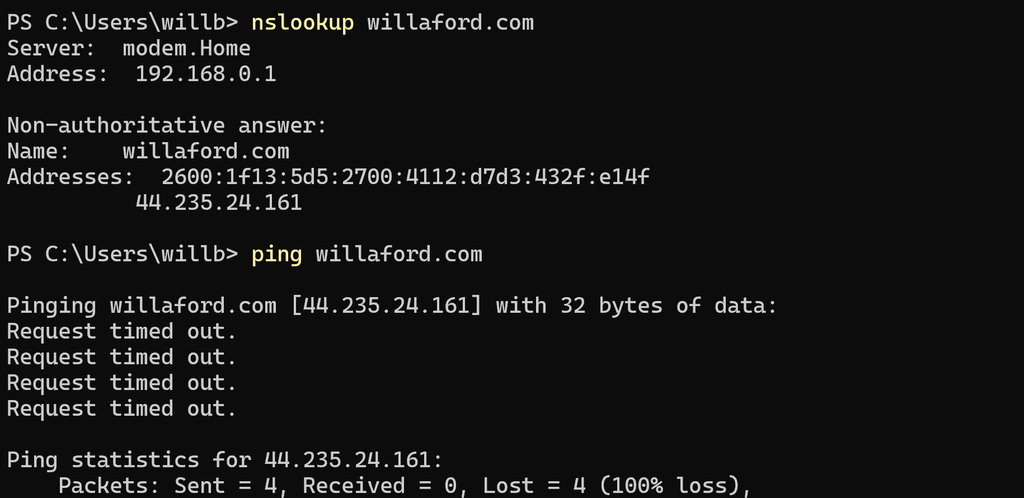
    But load willaford.com in a browser, and everything works. OK. Let’s check email from the wordpress admin console.

    Email not working, then site not working again.

    Change something [anything, just click some buttons…really {not really, but I forgot what clicked}] and site starts working.

    Checking email again: no evidence of success, no evidence of failure.

  • Continuing the migration

    Manual update of the static routes for willaford.com and wordpress.willaford.com are successful.

    ToDo:

    • Manually update the static routs for .net, .me, .org etc. [DONE]
    • Snapshot the instance [DONE]
    • Troubleshoot HTTPS

    What is the problem?

    What have we done about it?

    • We have moved the static ip.

    What do we need to do about it?

    • DNS TTL should have already expired, but I don’t know how many intermediate caches are involved. Wait a day, and start again. EttasDiaries have a different setup and may be easier.

    Ettas Diaries? Yes, do the whole thing again. However, DNS routing for Etta’s diaries is wholly on the lightsail hosted zone, so config should be easier. let’s see.

    • Create new instance, import
    • Attach domain: ettasdiaries .com and .org and ettaschronicles
    • Fine — 15 minute propagation
  • Later that day 22 October

    • Create new instance: smooth
    • Create new static ip: smooth
    • Export / Import content from old instance to new: ok

    What is left:

    • setup HTTPS for new instance
    • solve for new instance able to send email
    • move DNS routing to new instance

    Setup HTTPS for the new instance:

    • https://docs.aws.amazon.com/lightsail/latest/userguide/amazon-lightsail-enabling-https-on-wordpress.html
    • Also: https://44.235.24.161/?p=59 (willaford.com/?p=59)
    • Check the firewall rules — back to the console, again. Careful! You must to to the instance, then the networking tab. Going to the networking section of lightsail then selecting the instance gives you something *very* different. OK. Yes, 22, 80, 443 are all configured.
    • I think we are going to have issues with lightsail domains conflicting with existing Route53 Configuration. Checking.
    • OKAY — going back and swapping in the static IP in raw DNS config in route53. Manual change. No CDK, pipeline, MCM or checklist
    • at 5:36 PM Pacific Time 22 October 2026, William decided to use the sharpest tool on the internet [dns] without guardrails.
    • Testing the change by saving this and reloading from willaford.com. Expected result is non-secure [no https] routing to this location.
    • Notably, the old instance does not have this update. willaford.net and willafor.org will resolve to the old instance until those are changed.

  • Hello world!

    Welcome to WordPress. This is your first post. Edit or delete it, then start writing!

  • Site Maintenance October 2026

    Exhibit A: AWS required migration from Bitnami Blueprints to Lightsail blueprints.

    The mail arrive in May, and I blissfully ignored it.

    https://docs.aws.amazon.com/lightsail/latest/userguide/migrate-from-bitnami-to-lightsail-blueprints.html

    Exhibit B: PHP critical security risk hits the wire yesterday. https://www.ncsc.gov.uk/news/critical-security-issue-affecting-php

    Yes, my choices are painful self-upgrade of PHP underneath Bitnami, or migration of lightsail instance.

    Migration is the plan. Posting this now, then working through the steps, and maybe we come back online later…

  • Website Maintenance December 2025

    • Updated wordpress to 6.9
    • Update themes
    • Update plugins
    • Snapshotted the lightsail instance before
    • Snapshotted the lightsail instance after
    • deleted hundreds of spam comments in the pending queue
    • Noticed that the php version needs an update — that is annoying, because I think I will get stuck at lightsail again (just add a new instance…). Adding a new instance only works if you have offboarded the database, which I have not done for this installation.
    • TODO: offboard the database
    • TODO: play with SEO

  • HTTPS for Lightsail WordPress Instances

    HTTPS for Lightsail WordPress Instances

    What is the problem?

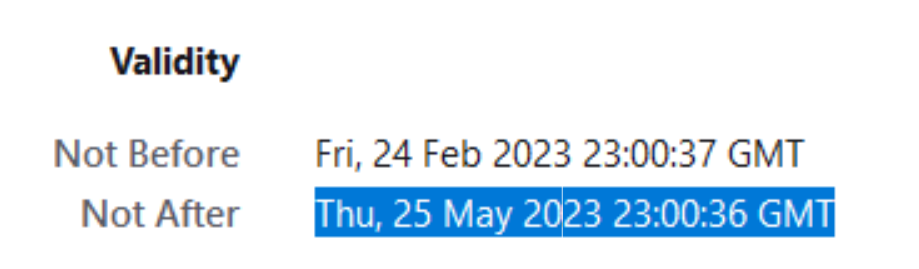
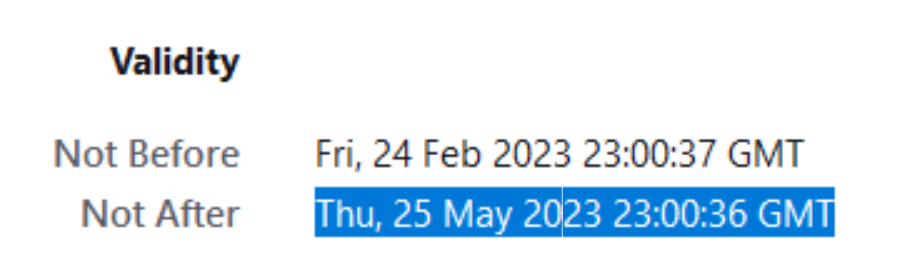
    expired certificate.

    What have I done about it?

    The old way: get a cert, think it is automatic, watch it expire.

    What did I need to to about it?

    The new way: https://lightsail.aws.amazon.com/ls/docs/en_us/articles/amazon-lightsail-enabling-https-on-wordpress

    Tried and tested on 6 June 2023. bncert found the existing cert for all of the domains, updated the cert, set a cron job šŸ¤ž for renewal, updated server config, and rebooted. The manual steps were snapshotting the instance before starting, getting latest version of bncert tool, and typing in the domains

  • Planting a Beautyberry

    Also, practice posting YouTube content via WordPress. From the wordpress instructions: “To add theĀ YouTubeĀ block, click on theĀ + BlockĀ InserterĀ icon and search for ā€œyoutubeā€. Click it to add the block to the post or page.”

    ToDo: Replace a dear departed Oakleaf Hydrangea with a Beautyberry.

    1. Double dig glacial till.
    2. Layer organic lasagna back into the hole. Some may consider this not truly a lasagna garden because I dug a hole rather than using no-dig methods. I think of this as scraping away the unhealthy top layer left by former garage, sidewalk, and driveway construction. By going back to the original starting layer, the lasagna is started at a level that is both immediately productive for plant growth, and provides soil amendment beyond the dig depth, thus preparing the ground for the future needs of the growing root structure.
    3. Remove excess fill to the dry shade garden [under the pierus, rhododendron, and camellia]. This also provides amended infill in an area previously damaged the foundation build for the gazebo put in by the prior owner.
    4. Plant the beautyberry. This is the main thing. Three days of hard labor on a Memorial Day weekend so that we could take a plant out of plastic pot and put it into dirt.
    5. Along the way, play with the dog, sharpen some shovels and a pickax, sweep everything a few times. This is the real main thing. Quality time together. Acts of service. Leave the space better than you found it. Live.
  • Third Post, this time under my own name

    Forget ‘user’, this is now ‘William”

    Email is now setup.

    What have I learned?

    MX records are a pain in the neck.

    Nothing comes for free (not AWS SES, not Google Workspace, not anything useful in WP Mail)

    I prefer DMARC and DKIM over SPF, mostly because SPF relies on overiding/hacking TXT records with machine readable data; however, nobodies machine agrees. I want to have SPF and Google Auth the same domain, but the records conflict [ugh]. DKIM and DMARC are structured to deconflict (DKIM via CNAME, DMARC via _dmarc.<domain>)

    Lightsail saves some effort, but there is still a lot to do to get a wordpress instance fully functional: HTTPS (bncert), email (WPMail, AmazonSES, Google Workspaces), HTTPS again (because bncert only gets and configs the certs, it doesn’t update wp-config to use https), a couple of random IAM users (to get roles and keys for Polly and Translate on AWS plugin) and the SES IAM credentials. It is nice that I don’t need to hand-manage the EC2 instance and load the software by hand, but be under no illusion that Lightsail WordPress is click-and-go.

    Oh, right, and I’m still playing around. Single-node, onboard database, one availability zone. Zero redundancy, optimization, CDN, S3 buckets, EFS, VPC, split subnets, autoscaling, etc. Hmmm, feeling like it is time to take a quick snapshot…

  • Second Post — Testing the AWS Plugin

    In theory (adding a full stop to retest translation). This will be translated into Albanian and French. Also, this will include text-to-speech for all three languages English and French.